Attach files to your NTRO
You are required to attach source files to NTROs yourself. If possible, do this immediately after creating the manual record in Elements.
Once you have saved the new record, Elements will take you to a Deposit publication page where you can upload and attach files to your new NTRO record. On the Deposit screen, click Choose file and select a file to upload to the record. Click on the Use this file button, and then upload another file if you need to attach more.
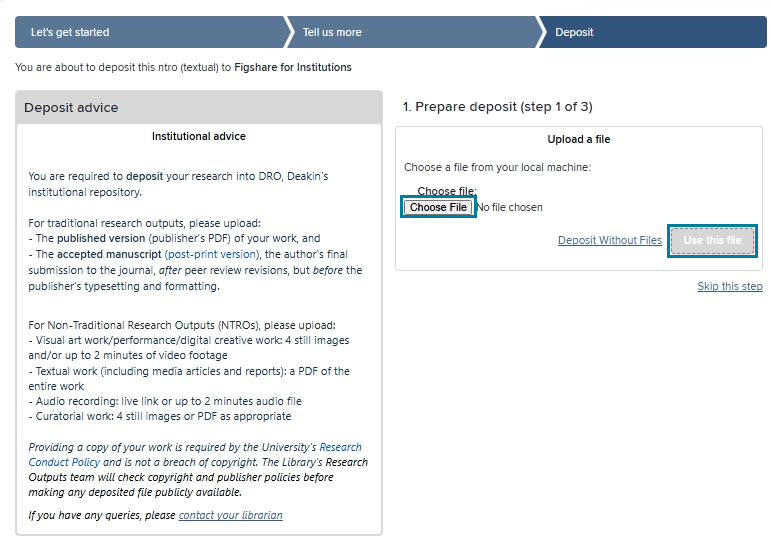
Note the following guidance on what files to attach to your NTRO record:
| Type of output | File attachments |
|---|---|
| Visual art work/performance/digital creative work | Four still images and/or up to two minutes of video footage |
| Textual work (including media articles and reports) | A PDF of the entire work |
| Audio recording | Live link or up to two minute long audio file |
| Curatorial work | Four still images or PDF as appropriate |
Finish by clicking the Deposit button.